How to Use Resume Enhancer: Resume, Context, and the AI Assistant
People sign up, build a resume, and stop there. That is fine, but they are leaving most of the value on the table. Here is how I would actually use Resume Enhancer if I were job hunting today.
Step one: build the resume
Start by getting your work history into the app. You can import it from a Word file or pull it in from your LinkedIn profile, so you are not typing everything from scratch. If you would rather start clean, you can do that too.
Once your history is in, use the AI to turn your rough notes into real bullet points. Write what you did in plain words, even if it is messy, and let it tighten the wording. The trick is to feed it your real work. It writes better bullets when it has real numbers and real projects to work from.
Step two: give the assistant context
This is the part most people skip, and it is the part that changes everything. Under the Career Assistant, there is a Context section. Think of it as the stuff that is not on your resume but still matters. Your goals. What you are looking for. What you are not willing to do. Even how you want it to write.
You can add a short note like "keep my writing tight, lead with numbers, no buzzwords" and the assistant will follow it every time. Ask it "what are my writing rules?" later and it will tell you back. It remembers, so you set it once and stop repeating yourself.
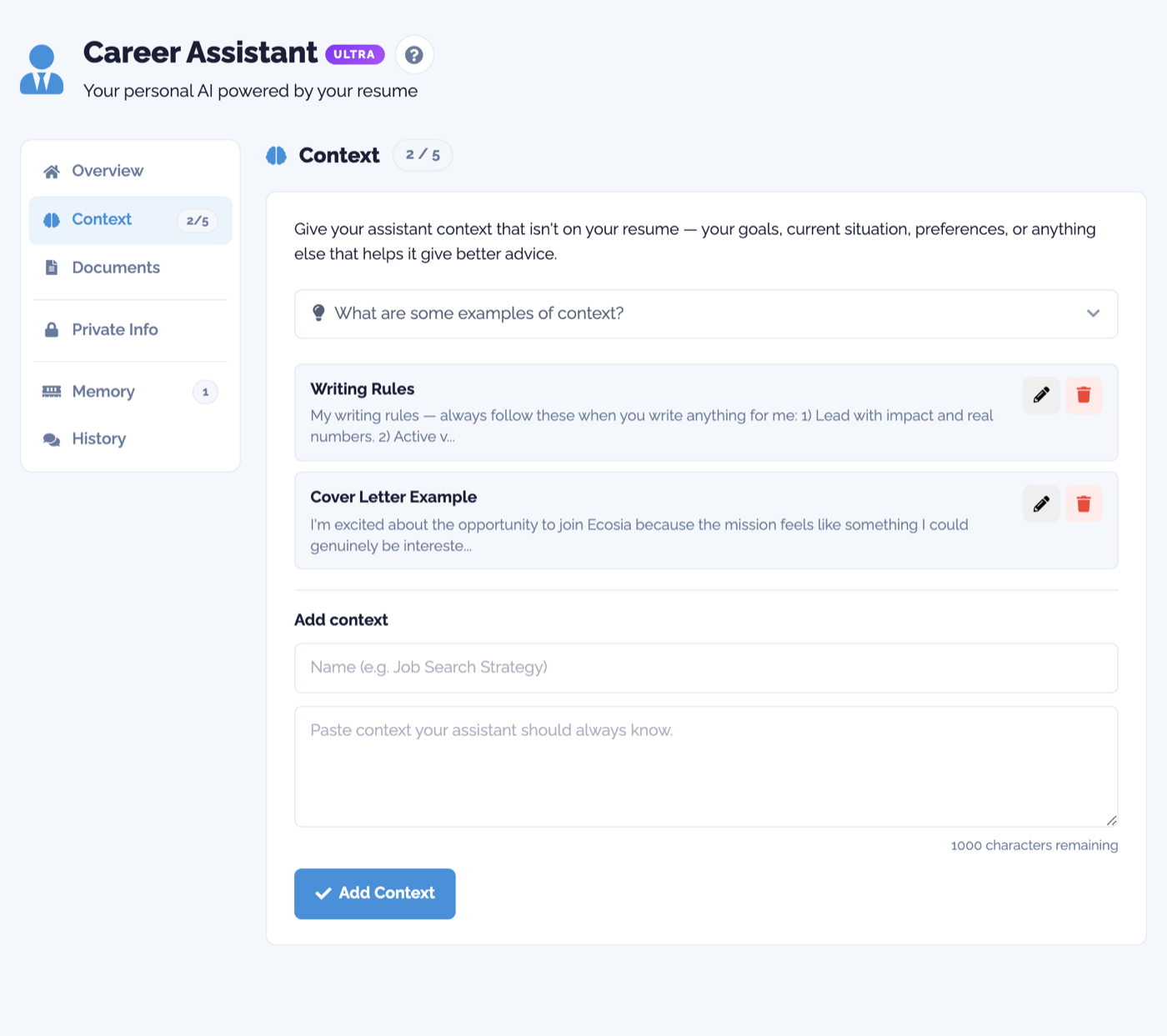
There is also a Documents section. Upload offer letters, contracts, or a project write-up, and the assistant reads them during a chat. That means you can ask about your own work without pasting it in again. It stays private to your account.
Step three: let the assistant do the work
Now the assistant actually knows you. Ask it to tailor your resume to a job you found. Ask it to write a cover letter that sounds like you and not like a template. Ask it which job on your board is the smarter move, and it will give you a real answer based on your background, not a generic one.
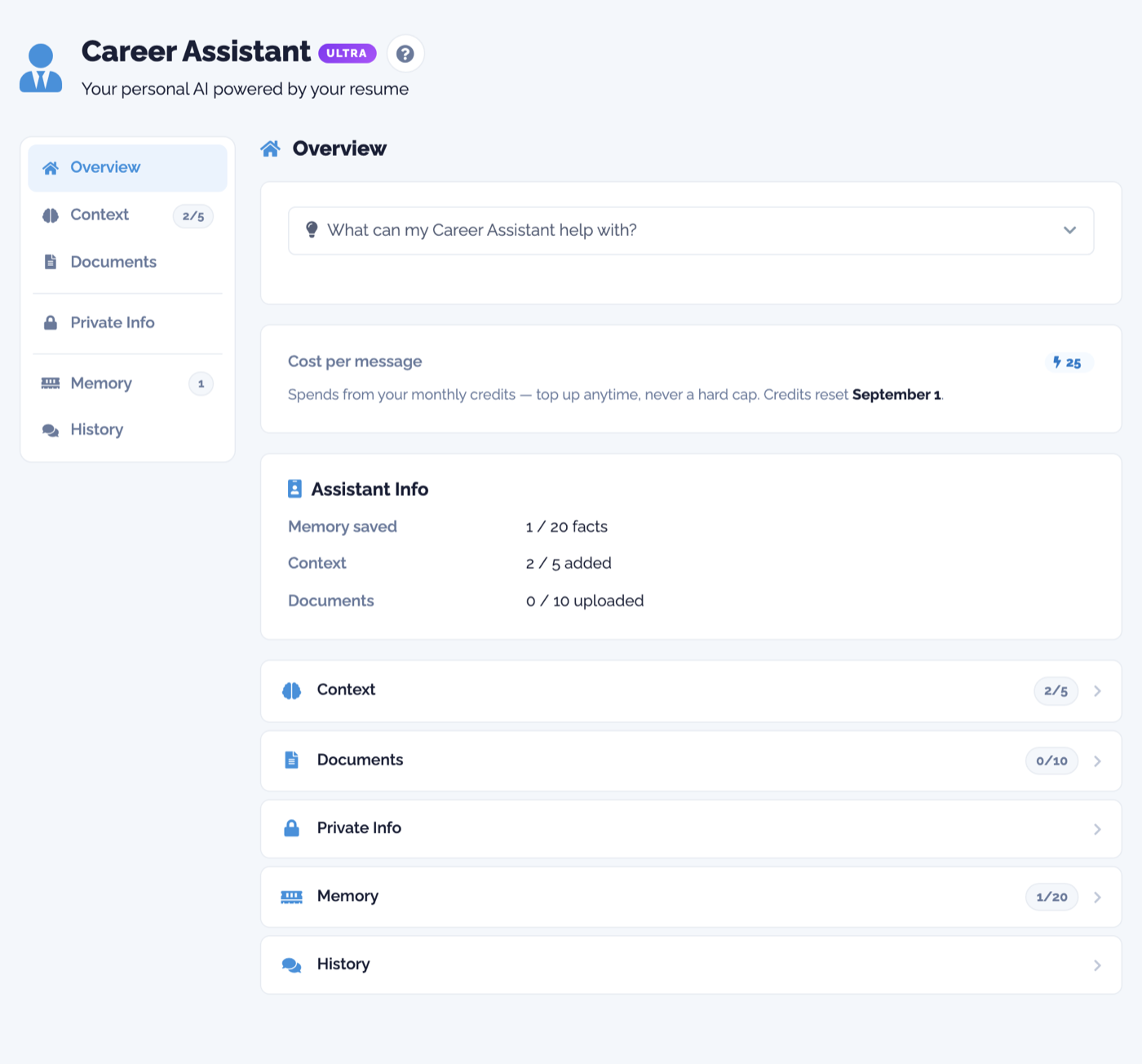
It follows you across the whole app in a small chat window, so you can pull it up on any page. It costs a few credits per message, and there is never a hard cap, so you can lean on it when you need it.
Step four: publish and track
Your resume can live as a real website with its own link. Send that link to anyone, and you get to see how many people viewed it, how long they stayed, and where they came from. When you save a job to your board, you can tailor a version just for that role and track it the same way.
The short version
Build the resume, give the assistant real context, then let it tailor and prep for you. That order matters. The more it knows about you, the less generic everything it makes will be.
If you have not set up an account yet, you can start for free and have a resume live in a few minutes.
Ready to try it?
Build an ATS-ready resume, tailor it to every job, and let your AI assistant help you land the interview.
Get started for free